
Table of Contents
You've probably spent more time choosing a laptop than choosing the chair you sit in for eight hours a day. That's backwards. The best ergonomic office chair for long hours isn't a luxury purchase. It's the single piece of furniture that determines whether you leave the office with energy or with a stiff lower back that follows you into the evening.
Nikshoo is a supplier of ergonomic chairs for corporate offices, IT parks, BPO floors, and institutional spaces across India. We don't manufacture chairs. We source, specify, and supply the right seating for each workspace, matched to the actual hours people sit and the load they put on a chair daily. This guide is built from that experience.
Whether you're buying for yourself or procuring for an entire office floor, the principles are the same. Let's get into it.
Why Your Chair Matters More Than Your Desk
Most office injuries don't happen dramatically. They build up over months. A chair that's 3 centimetres too high puts your hips at the wrong angle. Six months later, that same person has chronic hip flexor tightness. A backrest with zero lumbar support pushes the spine into a C-curve by the afternoon. A year of that and you're looking at a disc problem that didn't have to happen.
The spine has a natural S-curve. It's slightly inward at the lower back (lumbar lordosis) and slightly outward at the upper back. Any chair worth considering has to maintain both of those curves, not flatten them. When the spine stays in its natural position, the intervertebral discs stay properly loaded. When it doesn't, the discs compress unevenly, and the surrounding muscles compensate by working overtime.
Here's what most people don't think about: a good chair doesn't just support your back. It changes how you breathe. When you're slumped in a poor chair, your ribcage compresses slightly. Breathing becomes shallow. Oxygen delivery to the brain drops. You feel tired by 2 PM and blame it on lunch. It might actually be your chair.
For companies building out office furniture solutions for large teams, the seating decision is a productivity decision as much as a comfort one. Several large IT organisations in India now specify minimum ergonomic seating standards in their workplace policies because the data supports it.
Key Features to Look for in an Ergonomic Chair for Long Hours
Adjustable Lumbar Support
This is not negotiable. The lumbar region is where most desk workers carry pain. A chair without dedicated lumbar support, or one with a fixed lumbar bump in the wrong spot, does more harm than good. What you want is lumbar support that adjusts both in height and depth. Height adjustment lets you position the support at your L3-L4 vertebrae, where the curve is deepest. Depth adjustment controls how much the support presses inward against your spine.
Passive lumbar support moulded into a fixed backrest shell works for the first hour or two. After that, people start leaning forward to relieve the pressure, which defeats the purpose entirely. An active, adjustable lumbar module is what separates a chair designed for long hours from one designed for a catalogue photograph. If you're looking for an ergonomic chair supplier in India, ask specifically about active lumbar adjustability before committing to any purchase.
Synchro-Tilt Mechanism
When you recline in a chair, your hips and knees should not stay locked at 90 degrees. A synchro-tilt mechanism adjusts the seat pan angle at the same time as the backrest. So when your back reclines by 15 degrees, the seat tilts slightly backward too, keeping the hip angle open and comfortable. This matters enormously for task-intensive workers who shift position dozens of times per hour. Look for tilt tension control that adjusts resistance based on body weight.
Class 4 Gas Lift and Seat Height Range
The gas lift cylinder determines how high and low the seat can travel. A Class 4 gas lift gives you a wider adjustment range than Class 2 or Class 3, which matters in diverse teams where people range from 5 feet to 6 feet 2 inches tall. Correct seat height puts your feet flat on the floor with your thighs parallel or slightly sloping downward.
Adjustable Armrests
Armrests that can't move are nearly useless for long-hour seating. You want 4D armrests: height, width, depth, and pivot angle all adjustable. The armrest should support your forearm while keeping your shoulder relaxed and your elbow at roughly 90 degrees. If the armrest is too high, it pushes your shoulder up. Too low, and you're carrying the weight of your arm unsupported all day, which leads to trapezius and shoulder pain by late afternoon.
Seat Depth Adjustment
This one gets skipped on cheaper chairs and it shows. Seat depth adjustment slides the seat pan forward or backward so there's a two to three finger gap between the front edge of the seat and the back of your knee. If the seat is too deep, it cuts off circulation at the back of the knee. Too shallow, and the seat doesn't support your thighs properly. For offices with diverse teams, seat depth adjustment isn't optional.
Mesh vs Leather: Which Is Actually Better for Long Hours
The mesh vs leather question comes up constantly in corporate procurement. The honest answer depends on three things: how many hours someone sits daily, the ambient temperature of the office, and whether the chair is for private use or shared hot-desking.
Mesh wins on breathability. In a standard Indian office without ceiling fans directly above each desk, a leather or PU backrest traps body heat within 90 minutes. The back gets warm, the person leans forward slightly to create air movement, the lumbar support loses contact, and postural problems begin. Mesh eliminates this entirely. Good quality tensioned mesh also conforms to the back naturally without requiring as much active adjustment.
Leather wins on durability in high-abuse shared environments. Well-maintained genuine leather lasts longer than mesh in scenarios where chairs are moved frequently, exposed to direct sunlight, or used by very heavy users. A cheap mesh can sag within 18 months under continuous commercial load. That's exactly why BIFMA certification matters for mesh chairs. It tests tensile strength, abrasion resistance, and weight capacity under conditions that simulate years of actual use.
| Factor | Mesh chair | Leather / PU chair |
|---|---|---|
| Breathability | Excellent airflow through open weave | Poor. Heat builds within 60 to 90 minutes |
| Best for sitting hours | 8 to 10 hours daily | 2 to 5 hours daily |
| Maintenance | Wipe clean; no conditioning needed | Requires conditioning; prone to cracking |
| Body contouring | Natural flex follows body shape | Fixed padding loses shape over time |
| Visual weight | Light, modern, open appearance | Heavy, traditional, executive look |
| Price range (India) | Rs 8,000 to Rs 35,000 | Rs 12,000 to Rs 60,000+ |
| Ideal use case | Task workers, BPO, IT teams, open offices | Executive cabins, boardrooms, reception areas |
For a standard Indian office, the best ergonomic office chair for long hours is a BIFMA-certified tensioned mesh task chair with a dedicated lumbar module and synchro-tilt mechanism. For executive spaces used for shorter sessions, a high-grade leather chair with genuine foam seating and lumbar support is appropriate, provided the occupant takes regular movement breaks.
Why BIFMA Certification Is the Minimum Acceptable Standard
Walk into any wholesale furniture market in India and you'll find ergonomic-looking chairs at prices that seem reasonable. Many use the right vocabulary: lumbar support, mesh backrest, adjustable armrests. But without BIFMA certification, there's no independent proof that any of those features actually perform under the load of daily commercial use.
Here's what BIFMA testing involves. The ANSI/BIFMA X5.1 standard for general purpose chairs tests the seat for 100,000 drop-weight cycles at 136 kg. The backrest is tested for 100,000 push cycles at specified loads. The base is tested for leg breakage under drop conditions. The tilt mechanism runs 100,000 full cycles. A chair that passes these tests has been independently proven to handle years of continuous commercial use without structural failure.
A chair that fails these tests can fail in a real office. Gas cylinders collapse. Base legs crack under weight-shift loads. Mesh tears at the frame attachment points. These aren't hypothetical outcomes. They happen with uncertified budget chairs bought in bulk for large offices. Our BIFMA certified office chair supplier guide explains exactly what to check when reviewing certification documentation. For government and institutional buyers, we also supply through the GeM portal for office furniture, where certification is a mandatory procurement requirement.
How to Adjust Your Ergonomic Chair Correctly
Most chairs are adjusted once when delivered and never touched again. That wastes the engineering that went into them. Here's a proper adjustment sequence for any adjustable office chair with lumbar support.
- Set Seat Height First Adjust until your feet sit flat on the floor with knees at 90 to 100 degrees. Feet should never dangle. Use a footrest if the desk height is too high to allow correct seat height with feet flat.
- Set Seat Depth Slide the seat pan so there's a two to three finger gap between the front edge of the seat and the back of your knees. Thighs should be fully supported without any circulation restriction.
- Adjust Lumbar Support Height Position it to contact your spine at L3-L4, roughly level with the top of your hip bones. Increase depth until you feel gentle inward pressure that feels supportive rather than pushing you forward.
- Set Tilt Tension Find the tension control knob under the seat and adjust so the chair resists your recline at a comfortable level. You should be able to lean back slightly without fighting the chair or falling into it.
- Adjust Armrests Set height so your elbows rest naturally with shoulders dropped. Set width so elbows stay close to your body. Adjust pivot angle so your forearms point toward the keyboard naturally.
- Check Your Monitor Position From the correctly adjusted seated position, your monitor should be at or just below eye level at arm's length. If it isn't, adjust the monitor, not the chair.
For a complete ergonomic workstation setup, including desk height, monitor arms, and keyboard positioning, our workstation furniture supplier guide covers the full picture of a correctly configured desk environment.
Ergonomic Chair Types: Which One Matches Your Work Pattern
Not all ergonomic chairs fall into the same product category. Here's how the main types differ and who each one is actually suited for.
| Chair Type | Ideal User | Key Specification |
|---|---|---|
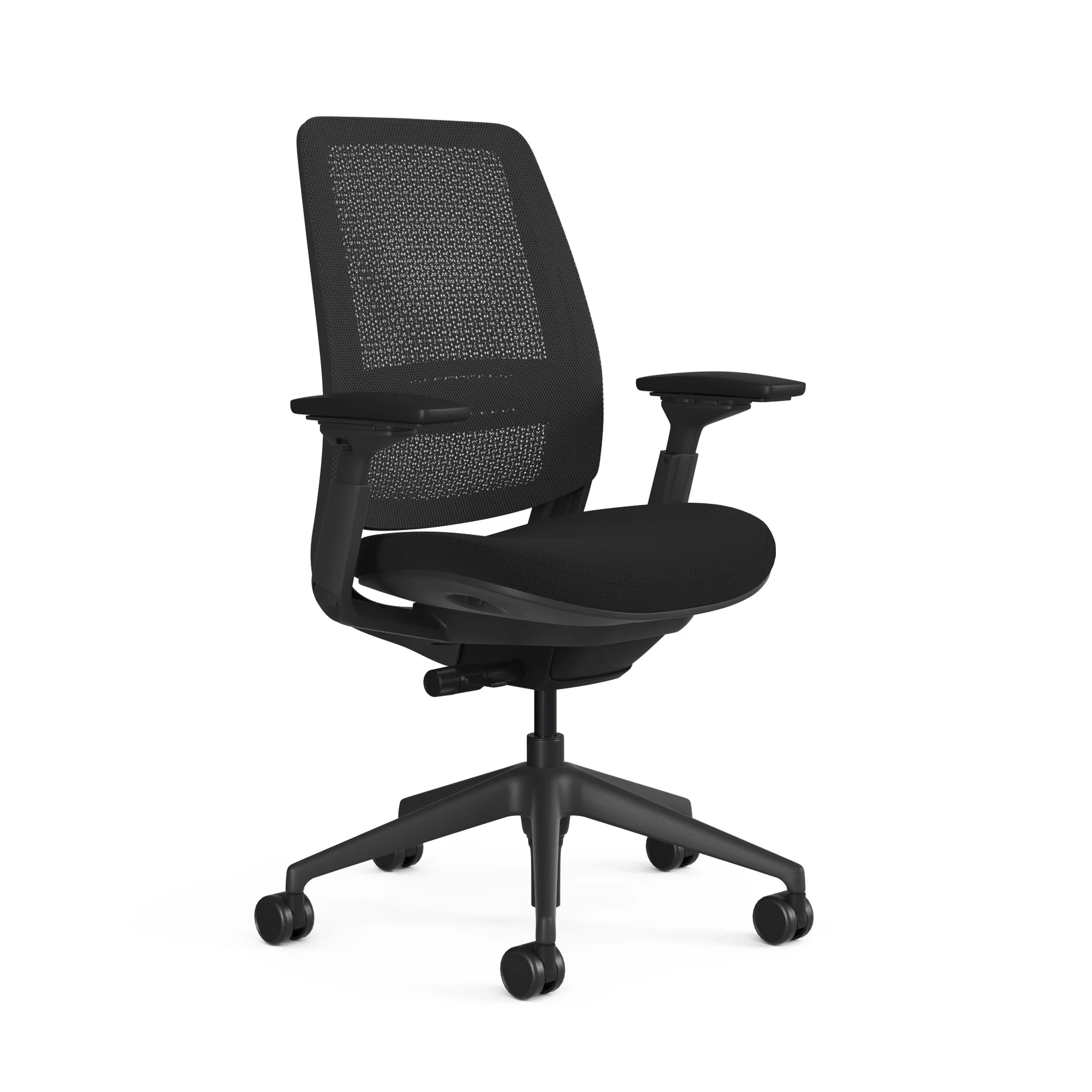
| Mesh Task Chair | IT workers, BPO staff, data analysts (8+ hours) | BIFMA certified, synchro-tilt, adjustable lumbar, 4D arms |
| Mid-Back Mesh Chair | Teams with varied tasks, hot-desking environments | Fixed lumbar zone, height adjust, basic tilt |
| High-Back Executive Chair | Managers, directors with 4 to 6 hours desk time | Full headrest, premium leather or mesh, synchro-tilt |
| 24/7 Heavy-Duty Chair | CCTV operators, control room staff, shift workers | 300 lb+ rated, extra-wide seat, reinforced base |
| Active Seating | Standing desk users, frequent posture-changers | Variable height, no fixed backrest, core-engaging design |
For office spaces where multiple chair types are needed across departments, Nikshoo handles the full specification and supply process. We've done this across corporate campuses, co-working spaces, and institutional setups. Our co-working space furniture supplier guide shows how mixed seating environments get specified for diverse user profiles under one project.
For companies navigating procurement across multiple office locations or public sector facilities, our commercial furniture supplier guide walks through how we handle large-scale, multi-site projects from specification through to installation.
Quality Certifications That Back Every Chair We Supply
Nikshoo supplies only certified ergonomic seating. Every chair we specify for a commercial project carries independent third-party certification covering safety, structural durability, indoor air quality, and environmental responsibility. These are verified by accredited testing laboratories, not self-declared claims.
- BIFMA LEVELThe most comprehensive sustainability standard for commercial furniture. Evaluates social, environmental, and economic performance across the product lifecycle.
- BIFMA (ANSI/BIFMA X5.1)Certified for safety, structural durability, and performance under continuous commercial use. Covers 100,000-cycle backrest and seat fatigue tests at 136 kg load.
- Indoor Air Quality CertificationProducts tested and proven to meet rigorous low-emission standards. Critical for sealed office environments where off-gassing from furniture affects air quality.
- ISO 9001, 14001 & 45001Quality, Environmental, and Occupational Health and Safety Management Systems certified. These govern our supply chain processes, not just the product itself.
- Certified Carbon NeutralOur supply chain is committed to neutralising carbon output. Matters for organisations with ESG reporting requirements and sustainability mandates.
- BIS — Bureau of Indian StandardsLicensed supplier meeting India's national quality and safety standards. A mandatory requirement for government and public sector procurement.
These certifications are not decorative. They're independent verification that the chairs we supply have been tested under conditions reflecting real commercial use. When a company procures 200 chairs for an IT campus, these certifications are the only independent proof the product will hold up. To understand how we handle large project procurement, read about how we work.
Conclusion: The Best Ergonomic Office Chair for Long Hours Is an Investment Worth Making
Finding the best ergonomic office chair for long hours comes down to a short list of things that actually matter: adjustable lumbar support, a synchro-tilt mechanism, proper seat depth, breathable mesh for full-day use, and BIFMA certification to back up the claims on the specification sheet. Everything else is secondary.
The chair is where your employees spend more time than anywhere else in the office. Getting it right reduces back pain, reduces fatigue, and reduces the slow productivity drain that poor seating causes over months and years. For individual buyers, the same logic applies. Spend the money on the chair.
Nikshoo supplies ergonomic seating for corporate offices, IT parks, BPO floors, and institutional spaces across India. We're not a manufacturer, which means we're not tied to any single brand or product line. We specify what's right for each project, including chair category, certification requirements, and volume pricing. If you're ready to upgrade your office seating or need a bulk procurement quote, contact us with your headcount and space details.
Frequently Asked Questions
The best ergonomic office chair for long hours has adjustable lumbar support, a breathable mesh backrest, a synchro-tilt mechanism, adjustable seat depth, and a Class 4 gas lift. BIFMA-certified chairs from trusted suppliers like Nikshoo meet all these criteria and are tested for continuous commercial use. The right chair also depends on your body dimensions and your specific sitting pattern throughout the day.
For 8 to 10 hours of daily use, mesh chairs are generally better. The open weave allows consistent airflow, preventing the heat build-up that leather traps. Leather chairs look premium but cause discomfort after a few hours in warm office environments. For executive cabins used for 3 to 5 hours daily, high-grade leather remains a good choice aesthetically and functionally.
BIFMA certification means the chair has passed independent mechanical stress tests covering weight capacity, base stability, backrest durability at 100,000 cycles, and tilt mechanism endurance. These tests simulate years of heavy commercial use under controlled lab conditions. Retail chairs without BIFMA certification skip these tests entirely. For corporate procurement, BIFMA certification is the minimum acceptable standard.
A commercial-grade ergonomic chair in India costs between Rs 8,000 and Rs 40,000 depending on specifications. Mid-range BIFMA-certified mesh chairs with proper lumbar support and synchro-tilt mechanisms typically cost between Rs 12,000 and Rs 22,000 per unit. Bulk orders for 50 units or more receive volume pricing. Nikshoo provides project-specific quotes based on chair category, quantity, and delivery location.
Look for lumbar support that adjusts both in height and depth. The support should contact the natural S-curve of your lower back at the L3-L4 vertebrae without pushing you forward. Passive lumbar support moulded into a fixed backrest shell works for short periods but loses effectiveness over a full day. A dedicated adjustable lumbar module is what you need for 8-hour sitting without back pain.
Yes, when correctly adjusted. A properly set up ergonomic chair reduces compressive load on lumbar discs by maintaining the natural spinal curve. Active lumbar support combined with synchro-tilt recline reduces lower back muscle fatigue significantly compared to standard task chairs. That said, no chair eliminates the need for movement breaks. Standing, stretching, and walking for 5 minutes every hour remains important regardless of chair quality.