
Table of Contents
You sit down at 9:30 and by 2:00 your lower back is complaining. By evening your shoulders ache, your thighs feel numb and your focus is gone. Nobody told you the chair was the problem, but it usually is.
So how to pick the best office chair when every product page claims to be ergonomic? You check ten specific features, in a specific order, and you ignore the marketing photo. This guide gives you that checklist, with plain explanations of why each feature matters for people who sit through 8 hour shifts.
Whether you're buying one chair for a home desk or 200 for a corporate floor, the same ten checks apply. We've also added the certifications to ask for, because a chair that looks good but fails a durability test costs more in the long run. If you're comparing options right now, our ergonomic office chair range follows every point below.
Why Your Choice of Office Chair Matters
Most people sit for six to ten hours a day. That's more time than they spend sleeping on their mattress. Yet chairs are often bought on looks, brand name or whatever is cheapest on the quote.
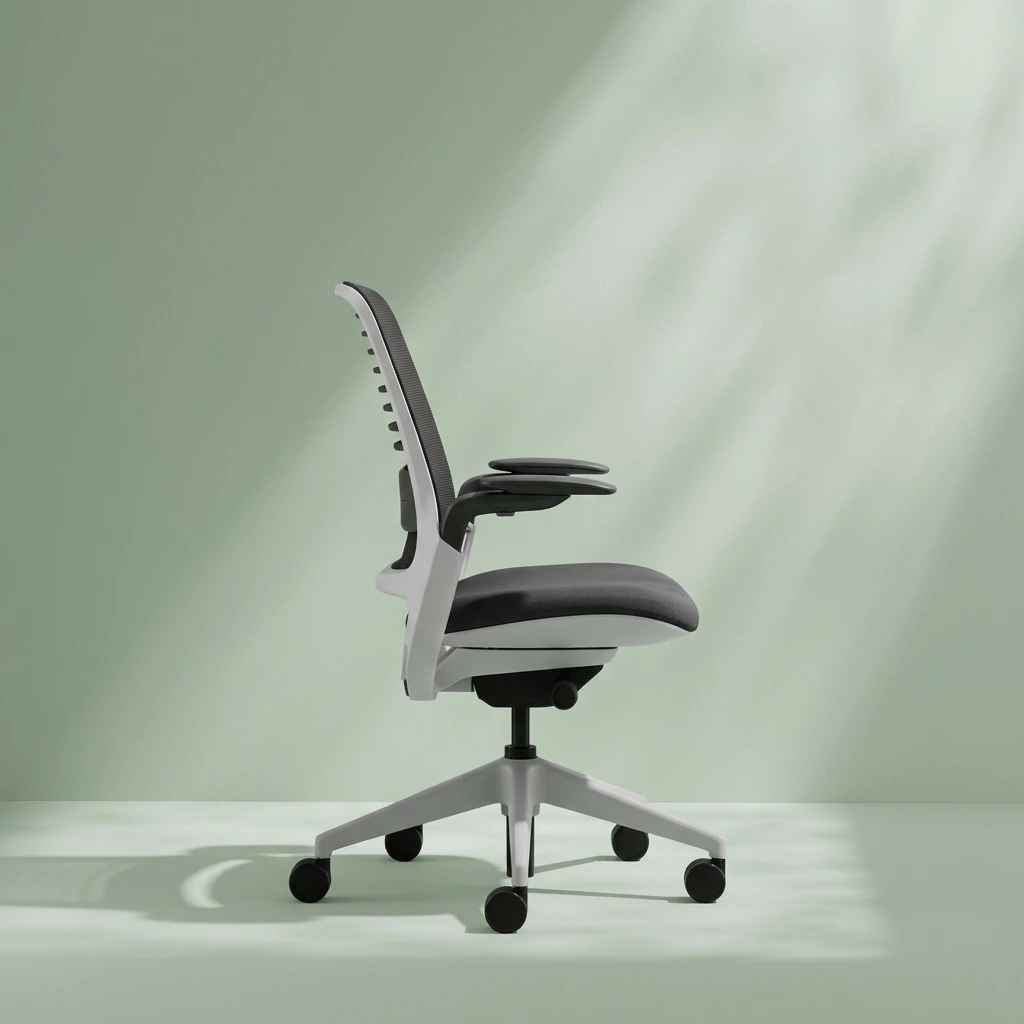
Facility managers and procurement heads need to look past surface appeal and inspect the ten foundational features covered below. A good ergonomic task chair supports the spine, keeps blood flowing to the legs, relaxes the shoulders and lets the body move. When it does, people feel less tired at 5 pm and make fewer complaints. That's the real return on a chair.
The Ten Features at a Glance
Here's the full list in one place. Use it as a checklist when you visit a showroom or compare spec sheets.
| Feature | What to Look For | Why It Matters |
|---|---|---|
| 1. Dynamic lumbar support | Height and depth adjustment | Keeps the natural inward curve of the lower spine |
| 2. Seat height control | Pneumatic gas lift | Feet flat on the floor, elbows at desk height |
| 3. Seat depth slider | Forward and back movement | Proper popliteal clearance behind the knees |
| 4. Armrests | 3D or 4D adjustment | Aligns elbows with the desk and relaxes shoulders |
| 5. Synchro tilt recline | Multi position tilt locks | Allows movement without lifting the seat pan |
| 6. Waterfall seat edge | Curved front edge | Relieves pressure on the thighs |
| 7. Headrest | Height and angle adjustment | Supports the cervical spine during recline |
| 8. Upholstery | Elastomeric mesh or molded foam | Breathable, holds its shape, manages heat |
| 9. Chair base | Five star nylon or die cast aluminium | Stable and built for heavy commercial use |
| 10. Casters | Multi surface, high weight rating | Smooth rolling that protects floors |
Features 1 to 3: Supporting the Spine and Legs
1. Dynamic Lumbar Support
Your lower spine curves inward. When you sit for hours in a chair that doesn't respect that curve, the muscles around it tire and the discs take extra load. Good lumbar support adjusts in both height and depth, so it meets the curve of your back instead of guessing where it is. If you're shopping specifically for lower back relief, our guide to the best ergonomic office chair for long hours goes deeper on this feature.
2. Pneumatic Seat Height Control
A gas lift lets you raise or lower the seat in seconds. The target is simple: feet flat on the floor, thighs roughly level, elbows near desk height. A fixed seat can't do that for both a 5 foot 2 inch user and a 6 foot one, which is why shared workstations need adjustable chairs.
3. Seat Depth Slider
This one is overlooked. A slider moves the seat pan forward or back so there's a small gap, about two to three finger widths, between the seat edge and the back of your knee. That gap is called popliteal clearance. Without it, the seat presses on the circulation behind the knee and your legs go heavy or numb.
Features 4 to 6: Relieving Upper Body Tension
4. 3D or 4D Adjustable Armrests
Armrests that move up and down, in and out, and pivot let your elbows rest at desk height. That drops the shoulders and relaxes the neck. Fixed arms usually sit too high or too wide, so people either shrug all day or stop using them. The 4D version adds forward and back movement, which helps when you switch between typing and writing.
5. Synchro Tilt Recline With Tilt Locks
With a synchro tilt mechanism, the backrest and seat move together at a set ratio. You lean back and the seat tilts slightly, so your hips stay open and your feet stay grounded. Multi position locks let you hold the angle you like. The seat shouldn't ride up and lift your thighs when you recline, which is a common fault in cheaper rocking chairs.
6. Waterfall Front Seat Edge
A waterfall edge curves downward at the front. It spreads the weight of your thighs instead of letting a hard edge dig in. You won't notice a good one, but you'll feel a bad one by mid afternoon.
Features 7 and 8: Headrest and Upholstery
7. Adjustable Headrest
A headrest isn't essential for every chair, but it helps anyone who leans back during calls or reading. It should move up and down, and ideally tilt, so it catches the base of the skull and not the shoulders. Leaders who spend time in meetings often prefer it, and for senior roles our executive chair vs ergonomic chair comparison shows where each style fits.
8. Breathable, High Resilience Upholstery
Heat builds up fast in a chair, especially in cities where the AC is shared and the afternoon is warm. A mesh office chair lets air pass through and flexes with your back. Quality molded foam works too, as long as it is dense enough to avoid going flat within a year. Ask about foam density or mesh tension rather than just the colour options.
Features 9 and 10: The Base and Casters
9. Five Star Base
Five legs give a stable footprint, so the chair won't tip when someone leans or reaches. Reinforced nylon is a good choice for most offices, while die cast aluminium suits heavy use and a sleeker look. Avoid four star bases and hollow metal tubes.
10. Multi Surface Casters
Casters decide how a chair behaves on a floor. Hard wheels scratch tile and wood, while soft ones glide quietly. Look for casters made for multiple surfaces and rated for the weight of your heaviest user. If you're outfitting a whole floor, check how the chairs pair with your workstation furniture supplier desks, since chair arm height and desk height need to agree.
Certifications and Compliance Testing to Insist On
Physical adjustments tell you how a chair feels on day one. Certifications tell you how it behaves in year five. BIFMA X5.1 testing puts a chair through repeated load, tilt and stability cycles. LEVEL certification looks at materials and environmental impact. Low emission ratings matter because foam and glues release fumes in closed rooms.
BIS licensing confirms the product meets Indian quality norms. ISO 9001, 14001 and 45001 describe how the factory manages quality, environment and worker safety. Ask for the documents, not just a logo on a brochure. Our guide to choosing a BIFMA certified office chair supplier explains what a proper certificate looks like.
Matching the Right Chair to Each Role
Not every seat in your office needs every feature. A developer who sits for ten hours needs the full set. A manager who splits time between desk and meetings may care more about the headrest and recline. Visitors and meeting attendees need comfort for an hour, not eight.
For meeting rooms, think about swivel, arm style and stackability. Our overview of conference room furniture supplier choices covers tables and seating as one setup. Planning the full floor? Browse our wider range of office furniture so the chairs, desks and storage all match.
Here's a quick rule of thumb. Spend the most per chair where the sitting hours are longest, and spend sensibly elsewhere.
A Simple Buying Process and Mistakes to Avoid
Nikshoo Furniture Solutions, a unit of Greenshoots Retail Pvt Ltd, runs a four step process for every project, and you can copy the logic even if you buy elsewhere.
- 1. Discovery and Consultation We learn who sits where, for how long, and what your budget and headcount look like.
- 2. Product Exploration You test curated chairs and compare specifications against the ten features above.
- 3. Delivery and Installation Certified teams deliver, assemble and set up every chair, then check adjustments with users.
- 4. After Sales Support We handle adjustments, spares and repeat orders as your team grows.
The mistakes we see most are predictable. Buyers pick by photograph. They skip a sit test. They forget that 200 chairs need the same finish and spares in three years. Our advice on how to choose the right furniture supplier will help you spot these before the order is placed, not after.
Across 26,000+ square feet and 50+ leading organisations, Nikshoo has delivered certified seating for corporate headquarters, IT parks and government facilities.
Conclusion: Sit Better, Work Better
Knowing how to pick the best office chair comes down to ten checks: lumbar support, seat height, seat depth, armrests, recline, seat edge, headrest, upholstery, base and casters. Add certified testing on top, and your seating investment pays back through better wellbeing, fewer absences and years of durable use.
If you'd like help applying this checklist to your own office, our team at Nikshoo can recommend chairs by role and budget. Contact us today to find the right chair for your team.
Frequently Asked Questions
Adjustable lumbar support is usually the most important feature. It keeps the lower spine in its natural inward curve during long sitting hours. Seat height and seat depth adjustment come next, because they set the foundation for correct posture and leg circulation.
Choose a chair with lumbar support that adjusts in both height and depth, a seat depth slider and a synchro tilt recline. These features keep the spine supported and allow small movements through the day. Always test the chair for at least ten minutes before buying.
Mesh chairs are cooler and flex with your back, which suits warm offices and long hours. High resilience molded foam is softer and often preferred for executive seating. Both work well if the materials are dense, well tensioned and tested for durability.
A quality commercial office chair should last seven to ten years with regular use. Lifespan depends on the base, the gas lift, the casters and the upholstery. Chairs tested to BIFMA X5.1 standards are built to handle repeated daily load.
Look for BIFMA X5.1 durability testing, BIFMA LEVEL sustainability criteria, low emission indoor air quality benchmarks and Bureau of Indian Standards licensing. The manufacturer should also follow ISO 9001, 14001 and 45001 management systems.
The ideal seat height lets your feet rest flat on the floor with thighs roughly level and knees at about a right angle. Most adjustable office chairs offer a range of around 16 to 21 inches, which suits the majority of adult users.
Yes, adjustable armrests reduce shoulder and neck tension by supporting the forearms at desk height. Choose 3D or 4D armrests so you can adjust height, width, depth and angle. Fixed armrests often sit too high or too low for most users.