
Ask any developer where it hurts by evening and most will point to their lower back. The thighs go numb, the shoulders tighten, and the afternoon drags. If you spend ten hours a day at a screen, your chair is the one piece of furniture that decides how that day feels.
So what is the best Steelcase chair for long hours? For most people it's the Steelcase Leap, because it supports the spine in almost every posture. If you work across a phone and two monitors, the Gesture fits better. Mesh lovers should look at the Karman, and anyone who wants simple controls should sit in a Think.
This guide covers the Steelcase chair features that matter over ten hours: back support, seat comfort, arms, heat and sustainability. Nikshoo supplies complete office furniture and installs these chairs from our Indore showroom.
The Best Steelcase Chair for Long Hours at a Glance
Here's the short version. The best ergonomic chair for long hours is the one that matches how you actually sit, not how you wish you sat.
| Steelcase Model | Best For | Standout Feature |
|---|---|---|
| Leap | Long upright work | Adjustable lumbar, Natural Glide seat |
| Gesture | Multiple screens and phones | 360 degree arms, 3D LiveBack |
| Karman | Warm offices | Intermix textile, hybrid seat |
| Think | Shared desks, green targets | LiveBack flexors, Cradle to Cradle |
| Series 2 | Style with solid support | AirLiveBack wave back |
| Series 1 | Mesh comfort, easy adjustment | 3D MicroKnit back, air pocket seat |
Why Ten Hour Workdays Need a Different Kind of Chair
Static sitting is the real problem. Muscles tire and blood flow to the legs drops. The best office chair for long hours gives you somewhere to go. It lets you lean back, come forward and twist a little without losing support.
IT professionals have it hardest. You sit forward to type, lean back to think, and switch between a laptop, a second monitor and a phone. Our guide on how to pick the best office chair covers the ten basic features, and the best ergonomic office chair for long hours guide covers the wider market.
Steelcase Leap: The Best All Round Pick for Back Support
If someone asked me to name one chair for a ten hour day, I'd say the Steelcase Leap without thinking twice. The contoured back changes shape to support your whole spine in its natural S curve. You set the lumbar height yourself, and a separate control sets how firmly the lower back pushes back.
The seat cushion has built in air pockets that conform to your body, plus flexible edges that ease pressure under your thighs. Natural Glide lets the seat slide forward as you recline, so you can lean back without leaving your zone for seeing and reaching your work. The arms move in four directions and stay parallel to the desk.
Seat depth, recline tension and a five position recline lock complete the set. The trade off? Lots of controls mean a day or two of learning. Worth it, in my view.
Steelcase Gesture: Best for Multiple Screens and Phones
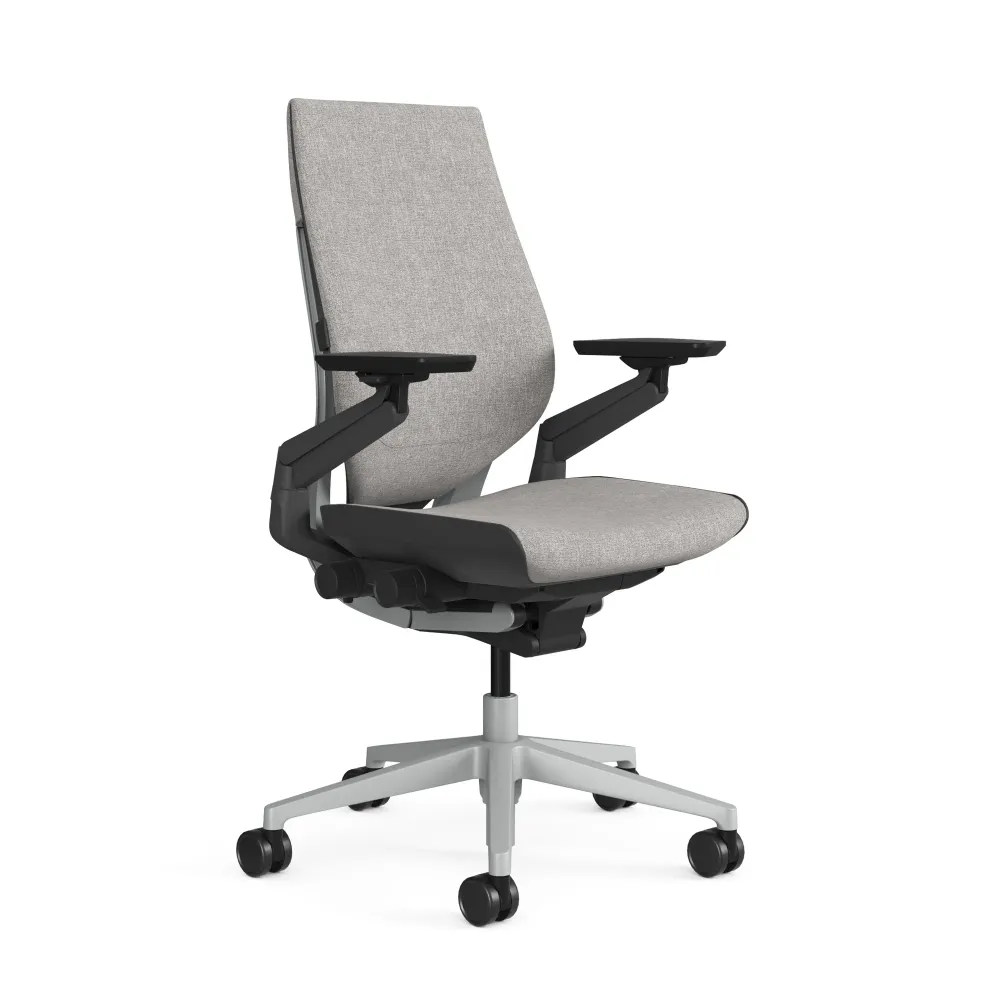
Gesture was designed around how people use technology. Picture a developer who types for an hour, picks up a phone, then leans back to read a code review. The arms rotate through a full 360 degrees and stay parallel to the work surface at every angle of recline, so your shoulders don't hang.
The 3D LiveBack flexes like your spine, and the contoured back helps hold its natural S shape. The seat and back also move as one synchronized system, so support follows you through the day. Soft thermal edges around the seat let your legs move over any side, which invites alternative postures without pressure behind the knee. It feels a little more enclosed than the Leap, and I like it for hybrid teams who hot desk.
Steelcase Karman: Cooler Mesh Seating for Warm Offices
Indian summers are hard on any chair. If your floor runs warm or the AC struggles by 4 pm, the Karman deserves a test sit. Intermix is a performance textile made only for this chair, and the hybrid seat adds cushioning to the suspension.
A comfort dial gives four recline positions, the 4D arms move in every direction, and LiveBack technology balances your body weight to support the spine. It's light too, at 29 pounds, and uses fewer components, which also makes it easy for facility teams to move between bays. A lumbar option is available, so tick that box if your lower back needs extra help. If you're still choosing between fabrics, read our mesh vs leather office chair comparison.
Steelcase Think: Simple Controls and Sustainable Design
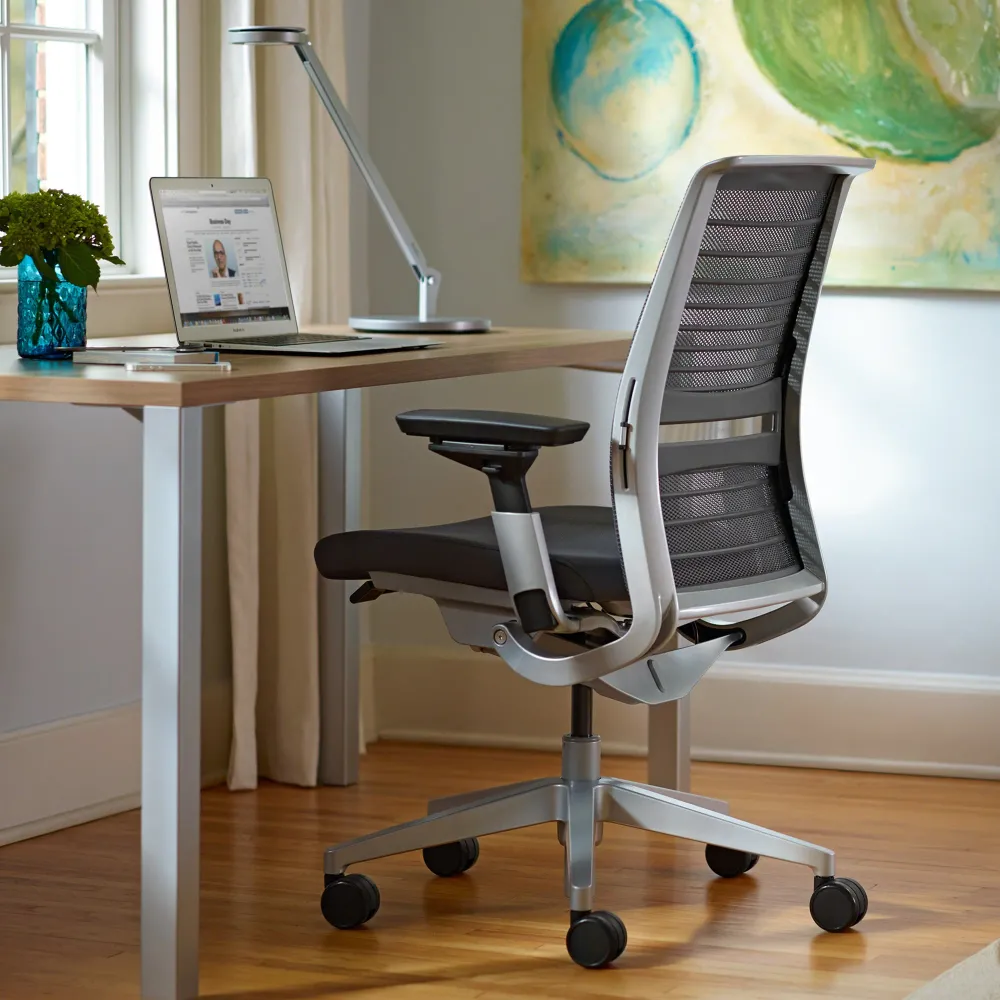
Think suits shared desks, like BPO seats used across shifts, because there are few controls to learn. The flexible back frame and flexors follow your spine, the lumbar adjusts in height, and a comfort dial with a boost setting adds extra back tension for people who want it.
The seat has flexible edges and adaptive foam bolstering for pressure free sitting. Steelcase based the design on research with the Technical University of Denmark, Michigan State University and the University of Vermont Back Research Center. The Quilted Back version suits leadership floors. Think also comes apart in about five minutes for recycling, and recycled content makes up roughly a third of its weight.
Steelcase Series 2 and Series 1 for Style and Simple Comfort
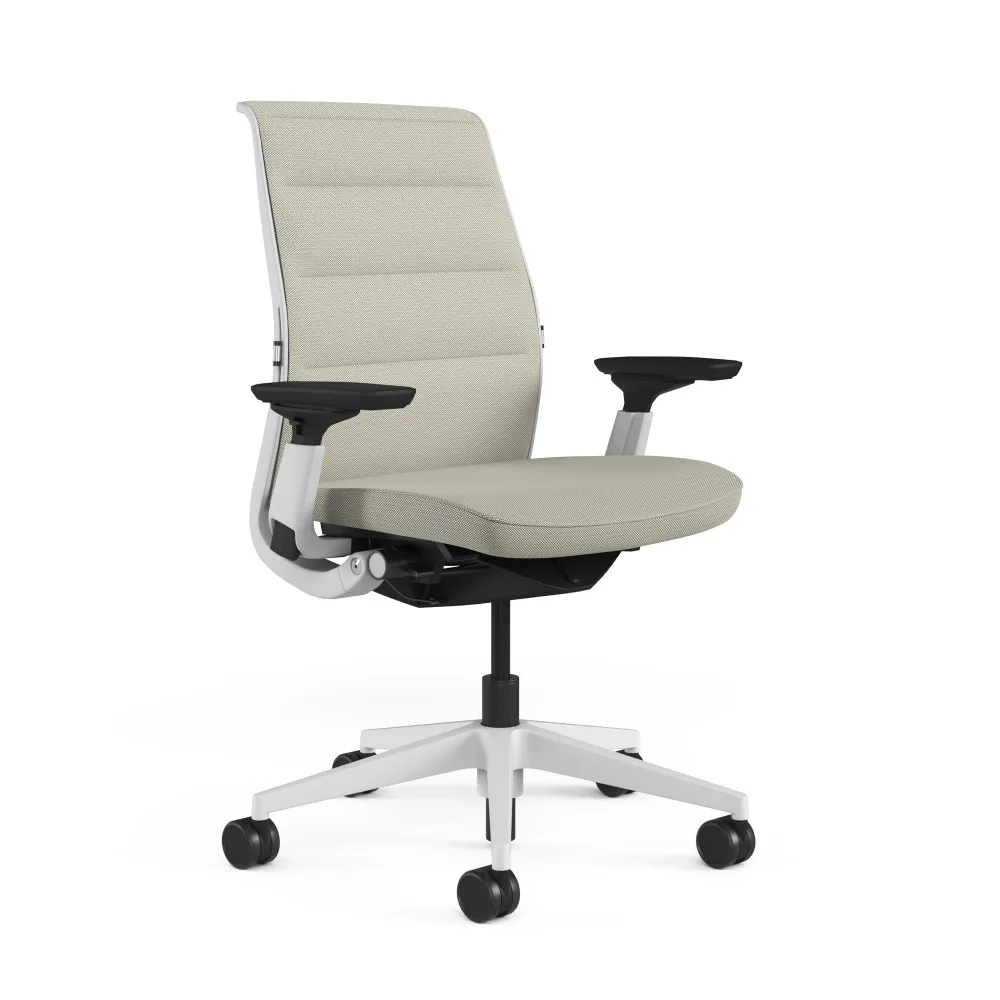
The Steelcase Series 2 has a breathable, transparent back with a wave pattern scaled to support each part of your spine. Seat depth adjusts, adaptive bolstering conforms to your shape, and the synchronized tilt keeps your feet planted as you recline. For a developer in the chair ten hours daily, I'd still pick a Leap or Gesture.
Steelcase Series 1 has a 3D MicroKnit back, a LiveBack flexor system and an optional lumbar. Its seat cushion has built in air pockets and a flexible edge to ease pressure, and a comfort dial sets recline tension. A headrest is optional on Series 1 and Think. The CarbonNeutral version offsets its emissions through recognised climate projects, which suits companies with green targets.
How IT Professionals Should Choose a Steelcase Chair
Before you order, answer these four questions honestly:
- 1. How Do You Sit? Upright and focused suits the Leap. Constant device switching suits the Gesture.
- 2. How Warm Is Your Floor? Bays without strong cooling suit the Karman or Series 1.
- 3. Who Shares the Chair? Hot desks and shift seats suit the Think.
- 4. What Does Your Desk Allow? Check arm clearance and caster type.
Planning a full floor? Pair the chairs with the right desks. Our workstation furniture supplier guide explains layouts for IT parks. And do try the chair first. A ten minute sit tells you more than a spec sheet.
Steelcase Chair for Back Pain and Posture Support
A good chair can reduce strain, but it isn't medicine. If you have ongoing pain, speak to a doctor or physiotherapist first. Then use the chair well: feet flat, knees about level with the hips, and the lumbar sitting in the small of your back. Stand up every 30 to 60 minutes. No chair beats movement. Set the lumbar before anything else, since it does most of the work for your lower back. Then adjust the arm height so your shoulders stay relaxed while you type. Check the settings again after a week, because your body takes a few days to get used to proper support.
Certifications and Sustainability to Check Before You Buy
Think was the first office furniture product with Cradle to Cradle certification. Steelcase says Think CarbonNeutral cut its carbon footprint by 36 percent, based on life cycle estimates, and that Think and Series 1 are 92 percent recyclable. Why does this matter to a buyer? A certificate is proof you can file, while a brochure claim is not. For companies with sustainability targets, CarbonNeutral paperwork also helps with reporting, and the offset on those versions is already done.
Commercial chairs go through thousands of tilts and swivels every year, so we also ask for BIFMA test reports. You can read more in our BIFMA certified office chair supplier guide. Ask for the written warranty too. A dealer who hesitates is telling you something. Keep copies of every document with your purchase records, and in a bulk order ask for the same papers for each model. It saves long email chains later and makes audits easier for facility and procurement teams.
Buying From an Authorised Steelcase Dealer in Indore
Nikshoo has supplied commercial furniture for over fifteen years and completed more than 100 projects for clients like SBI, HSBC and IIM Bangalore. We're also a registered GeM seller. Our clients range from banks and institutions to growing IT firms, so we understand both a single director's cabin and a floor of two hundred desks. Either way, you deal with one team from the first call to the day the chairs are installed.
Want to sit in one first? Visit the Indore showroom, or see the models we supply on our ergonomic chair supplier page. Come in your usual work posture and bring your laptop if you like. We'll set the chair to your body, show you every control and let you sit for as long as you need.
Common Mistakes When Buying a Chair for Long Hours
The first mistake is buying on looks. The second is skipping the test sit. The third is buying a big executive chair for desk work. It looks smart but rarely supports a typing posture, and our executive chair vs ergonomic chair guide explains why. Another common slip is ignoring seat depth. A seat that is too deep presses behind the knees, and one that is too shallow leaves the thighs unsupported. Both make you fidget by the afternoon, so check depth with your own legs, not a size chart.
The last one hurts most: buying from a seller who isn't an authorised dealer. Expect no warranty and nobody to call when a gas lift fails in month fourteen. A good dealer won't mind your questions. Ask who installs the chair, who services it and how fast spare parts arrive. The answers tell you more about the real cost of a chair than the label on the box.
Conclusion: Choosing the Best Steelcase Chair for Long Hours
The best Steelcase chair for long hours is the one that fits your body, so test it before you commit. Then protect the purchase with the right paperwork and an authorised dealer. Whatever you pick, give your body a week to settle in and adjust the controls as you learn them. A chair like this is meant for years of long shifts, and a little setup effort at the start pays back every afternoon. If you'd like to sit in a Leap or Gesture first, book a visit to our Indore showroom and our team will set up a test sit for you.
Frequently Asked Questions
The Steelcase Leap is the best choice for most people who sit all day. Its LiveBack backrest, adjustable lumbar, lower back firmness control and Natural Glide seat keep support steady across ten hour workdays. If you shift posture often or use several devices, the Gesture may suit you better.
Neither is better for everyone. The Leap gives finer control over lower back support and suits upright, focused work. The Gesture has 360 degree rotating arms and suits people who change posture or use phones and tablets. Try both if you can, since fit matters more than rankings.
The Leap is the usual pick because its lumbar height and lower back firmness are both adjustable. The Think has a dual energy lumbar and the Series 1 offers an optional lumbar. No chair treats pain, so speak to a doctor or physiotherapist if discomfort continues. Posture habits matter too.
Most Steelcase task chairs use LiveBack technology that flexes with your spine, 4D adjustable arms, a weight activated recline and a flexible seat edge that eases thigh pressure. The Leap and Gesture offer the finest adjustment, while the Think and Series 1 keep the controls simple for everyday users.
Steelcase Think was the first office furniture product with Cradle to Cradle certification. Think and Series 1 are 92 percent recyclable with 30 percent recycled content, and both come in CarbonNeutral versions. The Karman also uses sustainable materials and fewer components, with a light frame of about 13 kg.
Nikshoo Furniture Solutions is an official Steelcase dealer in Indore. Visit the showroom at 20 Dhenu Market Road, Monday to Saturday, 10 AM to 7 PM, to sit in the chairs and discuss bulk orders for offices and IT teams. Our team also handles delivery and installation.