
By four in the afternoon, your lower back starts to ache. Your pelvis rolls backward, your shoulders round toward the screen, and you perch on the front edge of the seat to stay close to the keyboard. When a standard chair forces your spine out of its natural S curve into a slumped C posture all day, lower back strain follows.
So, can a Steelcase chair for back pain make a difference? While no chair replaces medical care, Steelcase builds its seating around the Steelcase Seating Difference: Innovative Design backed by 18 seating studies and over 2,700 global patents, Dynamic Comfort solving for Movement, Connection and Fit, and Broadest Choice across 195 seating products. Systems like LiveBack, Natural Glide, Core Equalizer and Adaptive Bolstering support your spine as you move.
This guide explains how sitting strains the cervical, thoracic and lumbar spine, compares Gesture, Karman, Leap, Think, Series 2, Series 1 and Personality Plus, and shares the showroom test checklist. Nikshoo supplies office furniture and installs Steelcase chairs from our Indore showroom.
Best Steelcase Chair for Back Pain at a Glance
Can an ergonomic chair for back pain really help? Yes, within limits. While a chair cannot cure a medical condition, it removes the strain of static sitting through Dynamic Comfort: Movement, Connection and Fit. Use this table to compare all seven Steelcase task chairs.
| Steelcase Model | Back Support System | Best For Back Pain Profile |
|---|---|---|
| Leap | LiveBack, Lower Back Firmness Control, Natural Glide | Focused upright work needing custom lumbar tension |
| Gesture | 3D LiveBack, Core Equalizer, 360 degree arms | Multi screen work and frequent posture changes |
| Karman | LiveBack S curve frame, Intermix textile, Hybrid Seat | Warm floors needing continuous lower back support |
| Think | LiveBack Flexor System, Weight Activated Synchro Tilt | Shared desks needing automatic spinal adjustment |
| Series 2 | Air LiveBack two way geometric flex, 4D arms | Mid market teams wanting active two way back flex |
| Series 1 | LiveBack Flexor System, Passive Seat Edge | Compact workspaces needing core lumbar support |
| Personality Plus | Waterfall Italian Air mesh back, boost + upright lock | High usage floors needing firm breathable support |
How Poor Seating Strains the Cervical and Lumbar Spine
When you stand, your spine holds a healthy S shape across the cervical, thoracic and lumbar regions. Sitting at a desk rolls your pelvis backward and flattens that S curve into a slumped C posture. A rigid backrest fails to stop that pelvic roll, while a hard seat edge pinches your thighs and fixed armrests pull your shoulders up. For baseline checks on any chair, read our guide on how to pick the best office chair.
The Steelcase Seating Difference for Back Support
Most office chairs feel fine for the first minute because you only feel surface foam. Steelcase defines ergonomic support as Dynamic Comfort: encouraging healthy movement to keep you engaged and focused without sacrificing spinal support, backed by 18 seating studies since 2000 and over 2,700 global seating patents since 1942.
Unlike brands that assemble generic parts, Steelcase designs, engineers and manufactures 95 percent of its brand seating in house across 195 Steelcase seating products and over 19 partner options. To see how Steelcase ranks against other brands, read our best ergonomic office chair for long hours guide.
Movement: LiveBack Technology for a Healthy S Curve
Every lumbar support chair from Steelcase solves for Movement through LiveBack technology, which lets the backrest flex and contour to mimic your spine. Leap and Karman use contoured LiveBack shells to hold a healthy S shape, Gesture pairs 3D LiveBack with a Core Equalizer, Think and Series 1 use LiveBack Flexor systems, Series 2 uses a two dimensional Air LiveBack pattern, and Personality Plus uses a waterfall Italian Air mesh assembly.
Connection: Synchro Tilt and Natural Glide in Recline
In a standard chair, leaning back tilts the front of the seat upward and pulls your hands away from the keyboard, forcing you to crane your neck forward. Steelcase proprietary mechanisms move the seat and backrest in harmony so your arms stay parallel to the floor in the ideal vision and reach zone. Leap adds Natural Glide to slide the seat forward in recline, Gesture uses an Advanced Synchro Tilt, and the other five models use Weight Activated Synchro Tilt mechanisms. Explore all mechanisms in our steelcase chair features guide.
Fit: Adaptive Bolstering, Seat Edges and 4D Arms
Steelcase task seating fits users from the 5th to the 95th percentile. Inside the cushion, Adaptive Bolstering uses intentional foam coring and infused air pockets that compress under your sit bones to spread weight evenly, while a Passive Seat Edge or Comfort Edge bends under your thighs to relieve pressure so you sit back against the lumbar support. Gesture features 360 degree arms on a limb interface, while the other six models feature 4D arms, seat depth adjustment and optional headrests.
Steelcase Leap: Best Overall for Lower Back Pain
If you want the best Steelcase chair for lower back pain, start with the Steelcase Leap chair. Built for focused work needing high adjustability, its LiveBack backrest holds your spine in its natural S curve while you set both lumbar height and the Lower Back Firmness Control dial. Manual Synchro Tilt with Natural Glide slides the seat forward in recline so your spine stays flush against the backrest, and 4D arms, Adaptive Bolstering, a Passive Seat Edge, optional headrest and English and braille labels make it an ideal office chair for sitting all day. Read our best steelcase chair for long hours comparison for workday rankings.
Steelcase Gesture and Karman for Posture Changes
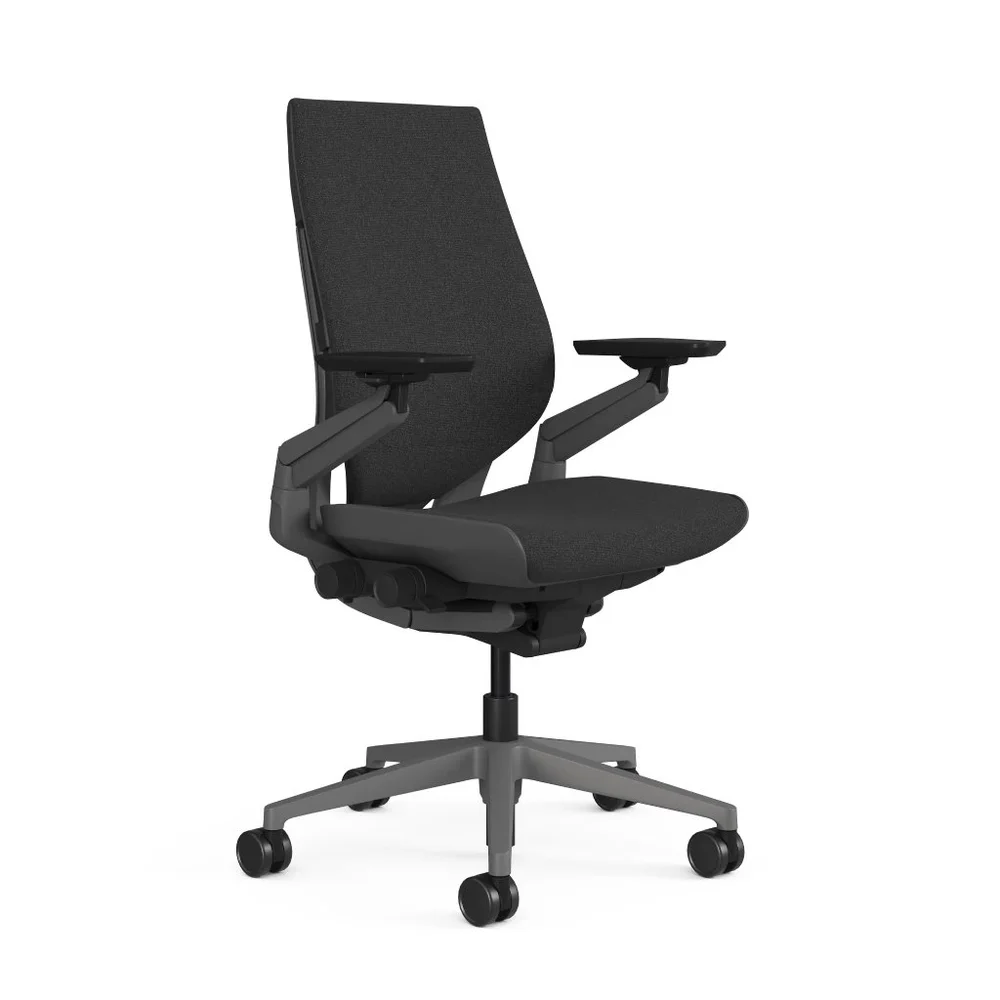
For people switching between laptops, monitors and mobile devices across individual or shared desks, the Steelcase Gesture chair prevents upper and lower back strain. Its 3D LiveBack mimics full spinal motion, while a Core Equalizer adjusts lower back firmness automatically at every recline angle, paired with 360 degree arms and a soft plastic plastometer edge with immediate seat depth feedback.
For warm offices where a mesh office chair is preferred, Steelcase Karman pairs a LiveBack S curve frame for continuous lower back support with a Weight Activated Synchro Tilt. It suspends proprietary Intermix performance textile over a Patented Hybrid Seat with integrated cushioning and a flexing Comfort Edge frame so the chair never sags, feels stiff or creates hard pressure points.
Think, Series 2, Series 1 and Personality Plus
On shared desks and large floors, the other four models provide automatic spinal support. Think uses a LiveBack Flexor System and Weight Activated Synchro Tilt for mobile workplaces, Series 2 brings two dimensional Air LiveBack flex to mid market spaces, and Series 1 packs a LiveBack Flexor System, 4D arms and Passive Seat Edge into a compact frame. Personality Plus supports high usage floors with a waterfall Italian Air mesh back for lateral and torsional movement, a boost and upright back lock dial, Fluid 4D arms with TPU pads, and Adaptive Bolstering.
How to Test and Set Up Your Chair for Back Relief
Before ordering a Steelcase chair for back pain, run the official showroom evaluation from the Steelcase Seating Difference guide and set your controls in order.
- 1. Set Seat Height and Depth (Fit) Keep feet flat on the floor with knees level with hips, and adjust the Passive Seat Edge so two fingers fit behind your knees.
- 2. Check Backrest Shape (Movement) Recline and shift posture: does the backrest change shape with your spine without feeling restricted?
- 3. Dial In Resistance and Lumbar (Movement) Set recline resistance and lower back firmness so you feel supported without falling back or being pushed forward.
- 4. Verify Vision and Reach (Connection) Recline at the desk: do your arms stay parallel to the floor and your eyes aligned with your screen?
- 5. Align 360 Degree or 4D Arms (Fit) Rest forearms lightly at desk height so your shoulders relax and your controls remain easy to find.
Quality Testing, 24/7 Warranty and Sustainability
Because Steelcase designs and manufactures 95 percent of each chair in house, it runs over 80 additional durability tests on top of the 20 required industry standard tests. That backs a 12 year warranty covering 24/7 use on parts and labour with the lowest warranty claims in the industry; see our BIFMA certified office chair supplier guide for test paperwork tips. Steelcase also uses responsibly sourced materials, minimal circular design with fewer parts for recycling, and tests chairs to last twice the warranty period.
Daily Desk Habits and When to See a Doctor
Stand up every 30 to 45 minutes and keep your monitor at eye level; our workstation furniture supplier guide covers desk heights that prevent slouching. A chair supports posture rather than treating medical conditions. See a doctor or physiotherapist if pain lasts for weeks, wakes you at night, or travels down a leg with numbness. Buyers often search for a chair for sciatica, and a clinician should diagnose those symptoms first.
Buying From Nikshoo and Common Mistakes to Avoid
Avoid buying a plush executive chair that lacks synchro tilt and lumbar contouring, as our executive chair vs ergonomic chair guide explains, and never judge a chair by one minute of soft foam instead of all day Adaptive Bolstering. Nikshoo Furniture Solutions has completed over 100 projects across fifteen years for clients like SBI, HSBC and IIM Bangalore. As an official Steelcase dealer in Indore and GeM seller, we invite you to test chairs at 20 Dhenu Market Road or visit our ergonomic chair supplier page.
Conclusion: Choosing a Steelcase Chair for Back Pain
Choosing the right Steelcase chair for back pain means matching Dynamic Comfort to your spine. Pick the Leap for lower back firmness control and Natural Glide, the Gesture for multi device postures, the Karman for suspended mesh support, or the Think, Series 2, Series 1 and Personality Plus for agile floors. Contact Us to book a test sit at our Indore showroom.
Frequently Asked Questions
Yes, a Steelcase chair for back pain helps reduce strain from long sitting through Dynamic Comfort. LiveBack technology supports your natural S curve, synchro tilt keeps your arms parallel to the floor, and Adaptive Bolstering spreads weight evenly. It cannot cure medical conditions, so see a doctor for ongoing pain.
The Steelcase Leap is the top choice for lower back pain because it pairs a contoured LiveBack backrest with lumbar height adjustment, a Lower Back Firmness Control dial and the Natural Glide System. For multi device postures, the Gesture with 3D LiveBack and Core Equalizer is ideal.
LiveBack technology allows the backrest to flex, contour and mimic the natural movement of your cervical, thoracic and lumbar spine as you shift posture. Instead of locking you against a stiff pad, it reinforces a healthy S curve across upright typing and reclined reading.
On the Steelcase Leap, the Natural Glide System slides the seat forward as you recline so you stay in the vision and reach zone without leaning away from lumbar support. On the Gesture, the Core Equalizer adjusts lower back firmness automatically at every recline angle.
Adaptive Bolstering uses intentional foam coring and infused air pockets that compress under your sit bones to spread weight evenly and keep your pelvis level. The flexible Passive Seat Edge bends under your thighs to relieve pressure so you sit back against the backrest.
Sit with your laptop for ten minutes and check three points from the Steelcase Seating Difference guide: whether the backrest changes shape with your spine without pushing you forward, whether your arms stay parallel to the floor in recline, and whether the flexible seat edge relieves thigh pressure.
Nikshoo Furniture Solutions is an official Steelcase dealer in Indore at 20 Dhenu Market Road, open Monday to Saturday from 10 AM to 7 PM. You can test the Leap, Gesture, Karman, Think and Series chairs in person, and our team manages delivery and installation.